

Description

JOYACCESS Multi-Device Wireless Keyboard: 2.4G+ 2 Bluetooth Channel (BT3.0+BT5.0)
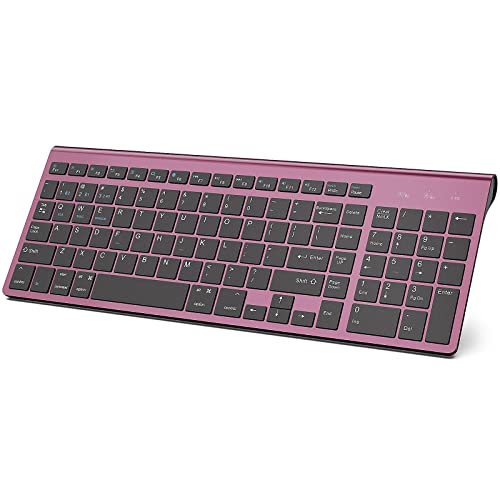
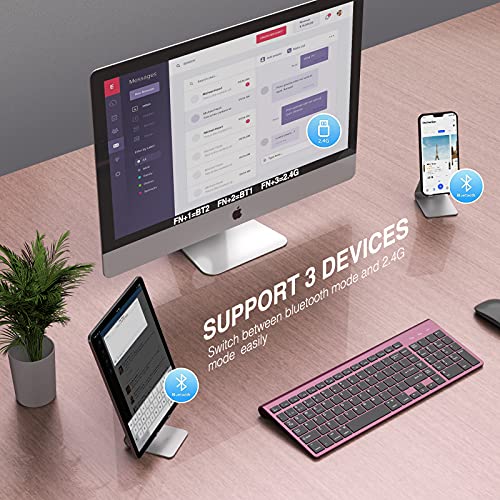
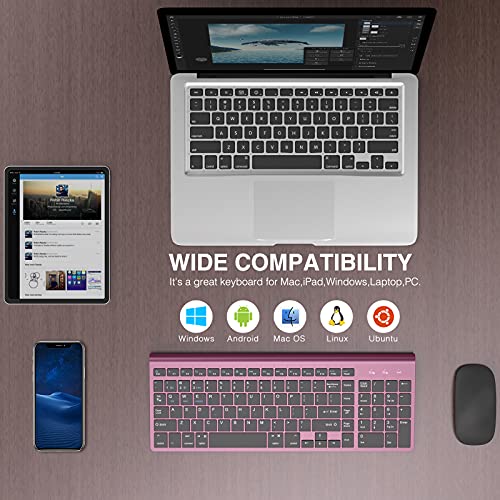
Joyaccess bluetooth keyboard could support 3 devices simultaneously and switch at will . A good choice for Mac, IOS, andriod users, and it also works well with windows systems. Aesthetically this keyboard looks exquisite with excellent quality and the setup is so easy in just a few minutes.
|
|
|
|
|---|---|---|
2.4G Stable Connection2.4GHz wireless technology establishes a stable connection with up to 10M to provide a latency free and responsive typing to your laptop or computer. It also eliminates excess cables and clutter for you to bulid a clean workspace. |
Bluetooth ConnectionThis bluetooth keyboard has two bluetooth channel BT3.0+BT5.0. It’s really helpful if your doing work on multiple devices. Fast switching between 3 devices without any interference or disconnection. No need to restart pairing. |
Auto-sleep ModeThe bluetooth keyboard uses lithium batteries (not included in the package). It will automatically enter the power-saving mode if there is no operation for 30 minutes. Click any button at will, the keyboard could be activated normally. |


 |
 |
 |
 |
 |
|
|---|---|---|---|---|---|
| JOYACCESS Dual Mode Slim Keyboard | JOYACCESS Dual Mode Slim Keyboard | JOYACCESS Dual Mode Slim Keyboard | JOYACCESS Dual Mode Slim Keyboard | J JOYACCESS 2.4G Slim and Compact Wireless Keyboard | |
| Connection Type | Wireless 2.4 GHz & Bluetooth 3.0 & Bluetooth 5.0 | Wireless 2.4 GHz & Bluetooth 3.0 & Bluetooth 5.0 | Wireless 2.4 GHz & Bluetooth 3.0 & Bluetooth 5.0 | Wireless 2.4 GHz & Bluetooth 3.0 & Bluetooth 5.0 | Wireless 2.4 GHz |
| Easy switching | 3 devices | 3 devices | 3 devices | 3 devices | 1 devices |
| Hightlights | Ultra thin/Ergonomic Design/Whisper-quiet Button | Ultra thin/Ergonomic Design/Whisper-quiet Button | Ultra thin/Ergonomic Design/Whisper-quiet Button | Ultra thin/Ergonomic Design/Whisper-quiet Button | Ultra thin/Ergonomic Design/Whisper-quiet Button |
| Battery | 2 AA battery( Not Contain) | 2 AA battery( Not Contain) | 2 AA battery( Not Contain) | 2 AA battery( Not Contain) | 2 AA battery( Not Contain) |
| Compatibility | PC/Tablet/ipad/Smart phone | PC/Tablet/ipad/Smart phone | PC/Tablet/ipad/Smart phone | PC/Tablet/ipad/Smart phone | PC/Laptop |
| Support system | Mac OS/Windows/Android/iOS | Mac OS/Windows/Android/iOS | Mac OS/Windows/Android/iOS | Mac OS/Windows/Android/iOS | Mac OS/Windows |
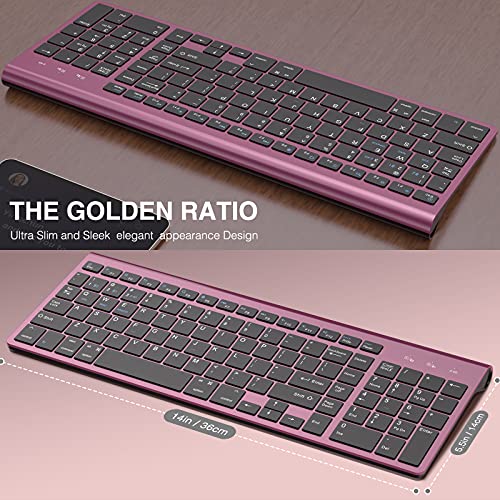
| Size | 368mm*135mm | 368mm*135mm | 368mm*135mm | 368mm*135mm | 368mm*135mm |
| USB | Inside the keyboard battery card slot | Inside the keyboard battery card slot | Inside the keyboard battery card slot | Inside the keyboard battery card slot | Inside the keyboard battery card slot |
Make sure this fits by entering your model number.
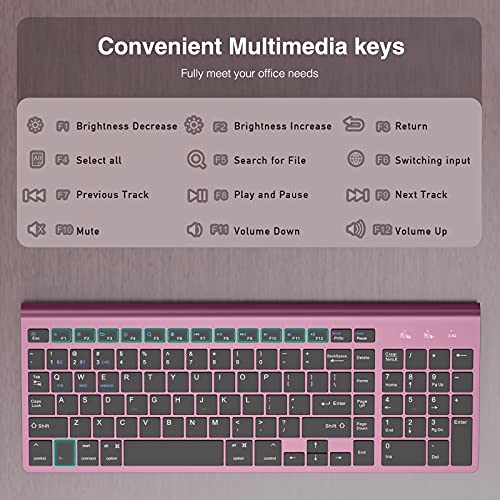
✿Multi-Device Wireless keyboard: Support two connection methods: 2.4G and Bluetooth(BT3.0+BT5.0) It has the function of connecting devices with Android, Windows, and Mac systems at the same time. It could keep stablely connecting on different devices and easy to switch.
✿Elegant and Exquisite Design:This keyboard is thin and beautiful with new colors. It uses a matte silver material and a white particle non-slip chassis. The keyboard back stand is very ergonomic and can help you reduce wrist pressure caused by long-time typing.
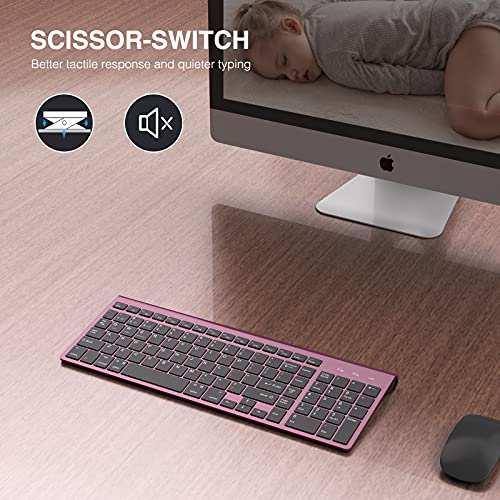
✿Quiet Click and Scissor- Switch:This bluetooth keyboard uses noise reduction technology to greatly reduce the sound of keystrokes. The Scissor-switch thin and light keys can relieve the fatigue on your wrist or fingers. At the same time, it can ensure a quiet and pleasing work environment.
✿Auto-Sleep Mode:The bluetooth keyboard uses lithium batteries (not included in the package). It will automatically enter the power-saving mode if there is no operation for 30 mintutes. Click any button at will, the keyboard could be activated normally.
✿Wide Compatibility:Support 2.4g and Bluetooth dual-mode connection; works well with mobile phones, computers, tablets all devices; It also could be compatible with Windows, Mac, IOS, Andriod all systems.Note: Generally,desktop computers do not have Bluetooth. If you plan to connect the device via Bluetooth, please make sure that the device has Bluetooth in advance.


Reviews
There are no reviews yet.